Beyond the Hype: Critically Assessing AI Productivity Assistants for 2027
4 September 2026
Let us take a quiet moment to acknowledge the elephant in the server room. For the past three years, every software vendor with a decent logo has been shoving an "AI assistant" into everything from your email client to your expense-reporting tool. By 2027, we have reached peak saturation. The market is flooded with copilots, agents, and "autonomous workflow companions" that promise to give you back five hours a week, only to actually give you a new hobby: debugging their hallucinations.
This is not another cheerleading piece. This is a field guide for the skeptical, the overworked, and the genuinely curious. We are going to strip away the marketing gloss and look at what these tools actually do, where they fail spectacularly, and how to separate the genuinely useful from the expensive digital parlor trick.
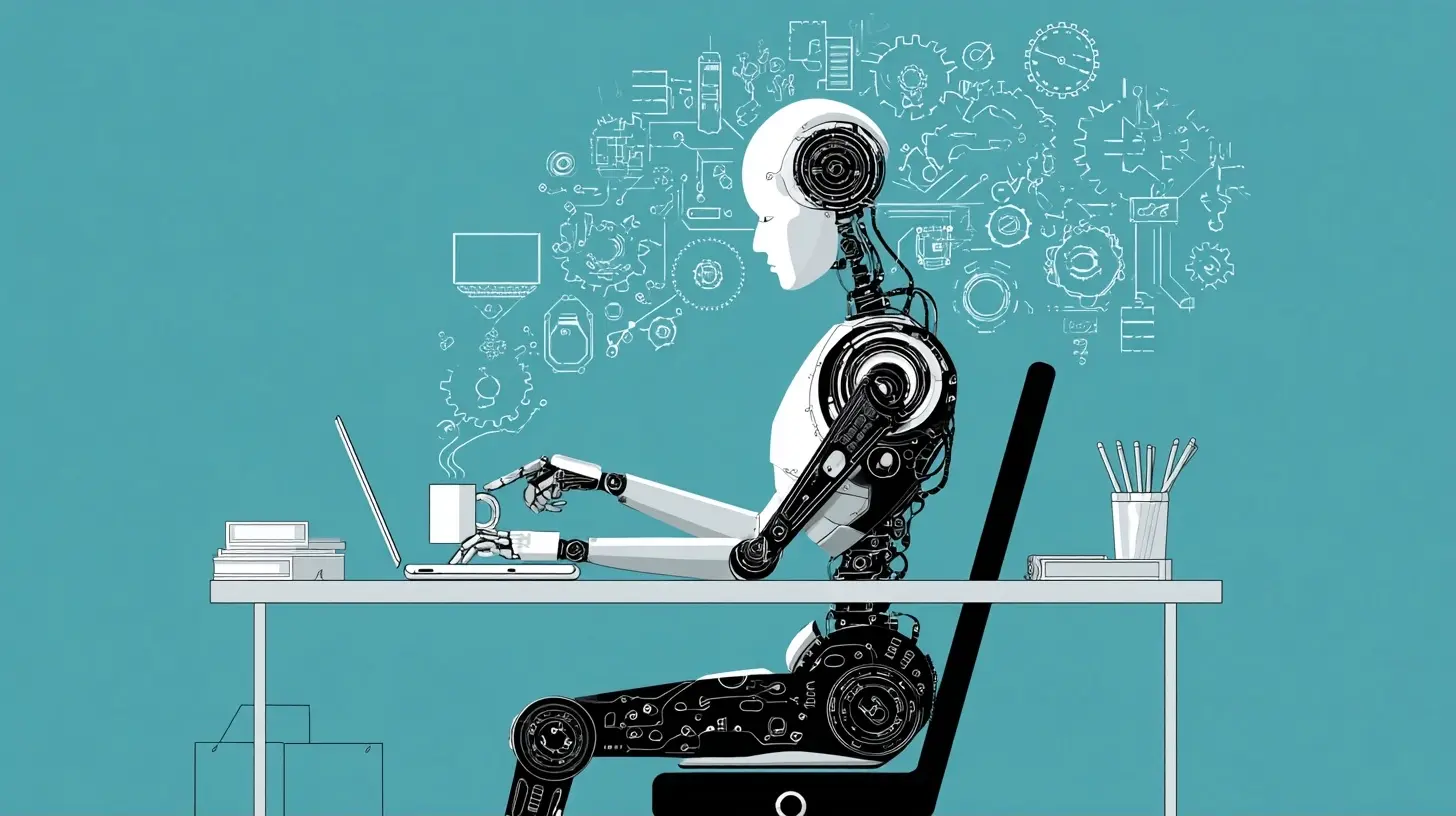
The Great Unbundling: From Copilots to Agents
The terminology has shifted dramatically since the early days of generative AI. In 2023, we had copilots. They were essentially autocomplete on steroids. You wrote a prompt, they suggested a response, and you hit "accept" or "reject." It was a straightforward transaction. By 2027, the industry has moved to agents. These are systems designed to operate with a degree of autonomy. They are supposed to plan, execute, and verify tasks across multiple applications.Here is the critical distinction that most buyers miss. A copilot is a tool. An agent is a colleague. And, as anyone who has worked in a real office knows, colleagues vary wildly in competence. Some are brilliant but need constant guidance. Others are enthusiastic but will happily file a tax return in the wrong currency if you do not check their work. The current generation of AI agents leans heavily toward the latter.
The problem is not the underlying language model. The problem is the orchestration layer. An agent is only as good as its ability to understand context, maintain state, and recover from errors. Most systems in 2027 still struggle with the "maintain state" part. They forget that you asked for the budget report in euros, not dollars. They lose track of the attachment you referenced three messages ago. They are, in essence, digital goldfish with a very large vocabulary.
The "Demo vs. Real Life" Gap
We have all seen the slick promotional videos. An AI agent receives an email with a PDF invoice, checks the inventory system, cross-references the purchase order, and schedules a payment. It looks seamless. It looks magical. It is also entirely scripted.In real life, the PDF is a scanned copy that is slightly rotated. The inventory system is a legacy mainframe that requires a VPN connection. The purchase order number is written as "PO-10021" in one place and "10021" in another. The agent chokes.
The dirty secret of the AI productivity industry is that the last 10 percent of the work takes 90 percent of the engineering effort. Vendors have gotten very good at handling the clean, structured data that exists in their test environments. They have not gotten good at handling the messy, inconsistent, occasionally absurd reality of your corporate data.

The ROI Fallacy: Time Saved vs. Time Spent
The primary sales pitch for these tools is time savings. The marketing materials claim you will save 30 percent of your day. Let us examine the actual math.First, there is the setup time. You need to configure the tool. You need to connect it to your calendar, your email, your CRM, your project management software. This is not a five-minute process. It is a half-day project that requires IT approval, security review, and a fair amount of troubleshooting when the OAuth token expires for the third time.
Second, there is the prompt engineering time. Despite the hype about natural language interfaces, you still need to know how to talk to these systems. A vague prompt produces a vague result. Writing a good prompt for a complex task is a skill. It takes practice. It takes iteration.
Third, there is the verification time. This is the big one that nobody talks about. When an AI assistant drafts a response to a client, you have to read it. Carefully. You have to check for factual errors, tone issues, and subtle hallucinations. You have to make sure it does not promise a delivery date that your supply chain cannot meet.
Let us be generous and assume a task takes 10 minutes manually. The AI does it in 1 minute, but you spend 4 minutes writing the prompt and 5 minutes verifying and editing the output. Total time: 10 minutes. You have achieved a perfect break-even. Congratulations.
The real value appears when the task is something you would not have done at all. The AI can draft a summary of a 200-page research report that you would have skimmed anyway. It can generate a first draft of a routine status update that you were going to write but kept procrastinating on. The value is not in doing existing tasks faster. The value is in tackling low-priority tasks that were previously not worth your time.
The Hidden Cost of Context Switching
There is another cost that is rarely discussed. Using an AI assistant effectively requires you to context switch. You stop your flow of work to open the assistant, type a request, wait for the response, and then evaluate it. This interruption breaks your concentration.Research on human cognition has long shown that context switching is expensive. When you are writing a complex piece of code or a detailed strategy document, a two-minute interruption can cost you fifteen minutes of lost focus. An AI assistant that is integrated into your workflow can mitigate this, but only if it is truly embedded in the application you are using. The moment you have to switch to a separate window, you have already lost the productivity battle.

Task Selection: What to Automate and What to Avoid
The single most important skill for using AI productivity tools in 2027 is not prompt engineering. It is task selection. Knowing what to delegate to the machine and what to keep for yourself is the difference between a power user and a frustrated user who canceled their subscription.The Good Candidates
There are three categories of tasks where AI assistants genuinely shine in 2027.First, summarization. This is the killer app. Whether it is condensing a long email thread, distilling a legal document, or pulling the key points from a meeting transcript, LLMs are remarkably good at this. The key is that the source material is finite and the output is low-stakes. If the summary misses a minor detail, the world does not end.
Second, first drafts. AI is excellent at generating a rough draft of a routine communication. A performance review, a project kickoff email, a weekly status report. The key here is to treat the output as a starting point, not a finished product. You are using the AI to overcome the blank page problem. You are not using it to replace your judgment.
Third, data extraction from structured sources. If you have a consistent format, such as a standardized invoice or a well-formatted CRM export, AI can parse it accurately and quickly. The key is consistency. The moment the format changes, the accuracy drops.
The Bad Candidates
Now, the tasks you should never delegate.Anything involving complex negotiation. AI does not understand the subtle dynamics of a salary negotiation or a contentious contract dispute. It will generate a response that sounds reasonable but misses the emotional undercurrents and the strategic positioning.
Anything involving confidential information that you do not want to share with a third-party API. This is a security issue, not a capability issue. Even with enterprise agreements, you need to be careful about what data leaves your environment.
Anything that requires creative judgment or personal voice. If you are writing a eulogy, a wedding speech, or a heartfelt apology, do not use AI. It will be technically correct but emotionally hollow. People can tell.
The most common mistake I see in 2027 is users treating AI as a substitute for their own critical thinking. They ask the tool to write a strategy document and then they submit it without reading it. This is a catastrophic failure of professional responsibility.

The Hallucination Problem: It Is Not Going Away
Despite three years of intense research, hallucination remains the elephant in the room. The models have gotten better at avoiding obvious factual errors, but they still have a remarkable capacity for confident nonsense.The reason is fundamental to how they work. A language model is a probability engine. It predicts the next most likely word based on its training data. It does not have a database of facts. It has a statistical model of language. When it generates a citation for a paper that does not exist, it is not lying. It is doing exactly what it was trained to do: produce the most plausible text.
The implication for productivity is clear. You cannot trust the output of an AI assistant without verification. This is not a bug that will be fixed in the next version. It is a feature of the technology.
The best practice is to use AI for tasks where hallucination is acceptable. If the tool summarizes a meeting and gets a minor detail wrong, you can correct it. If the tool generates a list of potential risks for a project and includes one that is entirely fabricated, you can delete it. The problem arises when you use AI for tasks where precision is critical, like generating financial reports or legal citations.
The Verification Workflow
To use these tools effectively, you need to develop a verification workflow. For any task involving specific facts, numbers, or claims, you need to cross-reference the AI output with a trusted source. This is tedious, but it is necessary.One practical approach is to ask the AI for its sources. Many systems in 2027 can provide citations. However, you cannot trust those citations. You need to actually click on them and verify that they exist and say what the AI claims they say. This adds time to the process, but it is the only way to ensure accuracy.
Integration Complexity: The Real Cost of Adoption
The marketing materials make integration look trivial. "Connect your calendar and your email with one click." The reality is far more complex.Most organizations run on a patchwork of legacy systems. Your CRM might be modern, but your accounting software is from 2009. Your project management tool is cloud-based, but your document repository is an on-premise file server. Getting an AI assistant to work across all of these requires custom middleware, API development, and a lot of patience.
The integration cost is often the hidden killer of AI productivity projects. A company signs up for a premium plan, spends weeks trying to get the tool to talk to their systems, and then gives up in frustration. The tool sits unused, and the subscription is quietly canceled at the next renewal.
The Shadow IT Problem
This has led to a rise in "shadow AI." Employees are bypassing the official, approved tools and using consumer-grade assistants on their personal devices. They are uploading sensitive corporate data to free services because the approved tool does not work well enough.This is a nightmare for IT security. But it is also a symptom of a deeper problem. The enterprise tools are not good enough. If the official tool worked well, people would use it. The market has responded with more aggressive security features, but the fundamental usability problem remains.
The Human Element: Why You Still Matter
Let us take a step back and consider the philosophical angle. Why do we work? Why do we write reports, analyze data, and communicate with colleagues? The answer is not just to produce output. It is to exercise judgment, build relationships, and create value.An AI assistant can generate a report. It cannot take responsibility for the report. It cannot defend the conclusions in a meeting. It cannot feel the pressure of a deadline or the satisfaction of solving a difficult problem.
The most effective users of AI productivity tools in 2027 are not the ones who delegate the most. They are the ones who use AI to amplify their own strengths. They use it to handle the drudgery so they can focus on the parts of their job that require human intelligence.
This is a subtle but important shift. You are not replacing yourself with a machine. You are augmenting yourself. The machine handles the routine, and you handle the exceptional.
The "Editor-in-Chief" Mindset
The best mental model for working with these tools is that of an editor-in-chief. You have a staff of very fast, very enthusiastic, but occasionally unreliable junior writers. They can produce a lot of content quickly. But they need supervision. They need clear guidelines. And they need to be checked for accuracy.Your job is to set the vision, provide the context, and make the final call. You are not doing the grunt work anymore. But you are accountable for the final product. This is a more senior role, and it requires a different set of skills than the ones you used before.
The 2027 Toolbox: What Actually Works
After all the caveats, there are some genuinely useful tools in the market. The key is to use them for what they are good at.For email triage, the current generation of assistants is excellent at sorting your inbox by priority. They can flag urgent messages, draft quick responses to routine inquiries, and summarize long threads. This is a massive time saver for people who receive hundreds of emails a day.
For meeting management, the tools that automatically join your meetings, take notes, and generate action items are surprisingly good. The transcription is accurate, and the summarization is useful. The key is to review the action items and make sure they are assigned to the right people.
For document generation, the tools are excellent at creating first drafts of proposals, reports, and presentations. The quality is not perfect, but it is a solid starting point. You can then spend your time refining the content rather than staring at a blank screen.
The Tools to Avoid
Stay away from any tool that promises "fully autonomous" operation. If a tool says it will handle your entire project without supervision, it is lying. The technology is not there yet, and it will not be there for the foreseeable future.Also be wary of tools that require you to change your entire workflow. The best tools fit into your existing process. They are additive, not disruptive. If a tool requires you to abandon your current project management software or your preferred documentation format, the switching cost is probably not worth it.
Making the Decision: A Practical Framework
If you are considering adopting an AI productivity assistant in 2027, here is a practical framework for making the decision.First, identify a specific, high-volume, low-stakes task that you hate doing. This is your pilot project. It should be something that takes you at least an hour per week and that you would not mind delegating to a slightly unreliable intern.
Second, run a trial with a single tool. Do not try to solve all your problems at once. Focus on the one task. Measure the time you spend on the task before and after. Track the quality of the output.
Third, evaluate the results honestly. If you are not saving at least 20 percent of your time on that task, the tool is not worth it. If the quality is consistently poor, the tool is not ready for prime time.
Fourth, only after the pilot is successful, consider expanding to other tasks. This incremental approach reduces risk and ensures that you are investing in tools that actually work for your specific situation.
Conclusion: The Tool Is Not the Solution
The most important lesson for 2027 is that AI productivity assistants are tools, not solutions. A hammer does not build a house. A carpenter does. The same logic applies here. The AI does not make you productive. You make yourself productive, and the AI helps.The hype cycle has been brutal. We were promised a future where we would work less and achieve more. The reality is that we work the same amount, but we have a new set of tools to manage. The tools are getting better, but they are not magic.
The winners in this new landscape are not the early adopters who bought everything. The winners are the thoughtful adopters who understood what the tools could and could not do. They integrated them slowly, they verified the output, and they kept their own judgment at the center of the process.
So, by all means, buy the assistant. Use it for the boring stuff. Let it draft the routine emails and summarize the endless meetings. But remember that you are the one in charge. The AI is just a very fast, very enthusiastic, occasionally delusional helper. Treat it accordingly, and you might actually get some of your time back.
all images in this post were generated using AI tools
Category:
Productivity AppsAuthor:

John Peterson
Discussion
rate this article
2 comments
Sheena Lane
This article raises intriguing points about the future of AI productivity assistants. I wonder how these tools will transform our daily workflows by 2027.
September 11, 2026 at 4:21 AM
John Peterson
Thank you for your thoughts! I share your curiosity about how AI will reshape our workflows. It's an exciting area to watch as we approach 2027.
Bria Bellamy
AI productivity assistants in 2027? Let's see if they actually deliver or just deliver more buzz.
September 5, 2026 at 3:38 AM
John Peterson
You're right to be skeptical. It'll be interesting to see if they truly enhance productivity or if it's just more chatter.