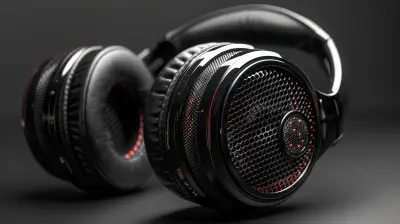
How to Extend the Lifespan of Your Headphones
10 February 2026
Headphones aren’t just gadgets; they're daily essentials. Whether you're a music lover, a gamer, or someone who uses them for work, a good pair of headphones can be a game-changer. But let’s be real—nothing stings more than your beloved headphones breaking down just months after buying them. The good news? With the right care, you can keep them going strong for years. Let’s dive into practical ways to extend the lifespan of your headphones.

1. Handle with Care
Your headphones might be sturdy, but they’re not indestructible. A little mishandling here and there might not seem like a big deal, but over time, it adds up.- Don't yank the cable – Pulling the cord to remove your headphones from a device puts stress on the internal wiring. Always grip the plug itself.
- Be mindful when adjusting – Overstretching the headband can weaken its structure, especially in plastic models.
- Avoid dropping them – A single hard drop can damage internal components, affecting sound quality or functionality.
Think of them like a delicate piece of tech—treat them with respect, and they’ll last much longer.

2. Keep Them Clean
Dirt, sweat, and earwax buildup can mess with your sound experience and even damage your headphones over time.- Wipe them regularly – A soft, dry cloth works wonders for keeping grime at bay.
- Use a cotton swab for crevices – This helps clean out tiny nooks where dust accumulates.
- Remove ear pads (if possible) and clean them – Over time, sweat and oils from your skin can break down the padding.
Making cleaning a habit can prevent long-term wear and tear.

3. Store Them Properly
Tossing your headphones into your bag without a second thought? That’s a recipe for disaster.- Use a case – A good-quality headphone case protects them from dust, moisture, and physical damage.
- Avoid wrapping the cable tightly – If you wind the cord too tightly around your device, you risk breaking the internal wires.
- Keep them away from extreme temperatures – Heat can warp plastic components, and cold can make materials brittle.
Proper storage ensures your headphones remain in top-notch condition.

4. Watch the Volume
We all love cranking up the volume for that immersive experience, but constantly blasting your headphones at max volume can lead to more than just hearing problems—it can also damage the internal components.- Stick to a moderate volume – Louder sound requires more power, putting pressure on tiny internal parts.
- Avoid sound distortion – If your headphones start sounding weird at high volumes, that’s a sign you’re pushing them too hard.
- Consider noise-canceling options – If you’re turning up the volume to drown out background noise, noise-canceling headphones might be a smarter long-term investment.
Lower volumes aren’t just better for your ears—they're better for your headphones' longevity, too.
5. Protect the Cable
If you’re using wired headphones, your cable is arguably the most fragile part of the setup. A damaged cable can make even the best headphones useless.- Use cable protectors – These can prevent fraying at the connection points.
- Avoid bending near the plug – Too much bending can weaken internal wiring over time.
- Don’t twist or tangle the cable – Knots can cause internal breakage, leading to audio dropouts.
Think of your headphone wire like an extension cord—handle it with care to avoid those frustrating short circuits.
6. Keep Them Dry
Water and electronics? A terrible combination.- Avoid using headphones in the rain – Unless they're waterproof, even light moisture can cause damage.
- Wipe off sweat – If you use headphones during workouts, wipe them down afterward to prevent moisture buildup.
- Don’t leave them in humid places – Bathrooms, for example, can cause condensation inside the ear cups.
If your headphones do get wet, turn them off (if they’re wireless), dry them with a soft cloth, and let them air out before using them again.
7. Charge Your Wireless Headphones Smartly
For those using wireless headphones or earbuds, battery life is a critical factor in longevity.- Don't overcharge – Leaving them plugged in overnight can reduce battery lifespan.
- Use the recommended charger – A third-party or fast charger might degrade the battery over time.
- Avoid draining the battery completely – Allowing your battery to constantly hit 0% before recharging isn't great for long-term health.
A little battery management can save you from shelling out for a new pair sooner than necessary.
8. Avoid Using in Extreme Conditions
Headphones aren’t built for harsh environments.- Heat exposure – Leaving them in direct sunlight (like on a car dashboard) can melt plastic and damage internal circuits.
- Cold temperatures – Freezing conditions can make materials brittle and shorten battery life in wireless models.
- Dust and dirt – Using headphones in dusty conditions (like a construction site) can block speaker grills and affect sound quality.
Treat them like you would your phone—keep them in a safe, moderate environment for the best longevity.
9. Update Firmware and Drivers
For wireless or smart headphones, keeping firmware and drivers updated is essential.- Check for manufacturer updates – These often improve battery performance and overall functionality.
- Keep Bluetooth drivers updated – This ensures the best connection quality and compatibility with newer devices.
Ignoring software updates can lead to connectivity issues and performance dips over time.
10. Replace Parts When Needed
Instead of tossing out your headphones when minor wear occurs, consider replacing parts.- Swap out ear pads – Worn-out ear pads can be easily replaced, bringing back comfort and sound quality.
- Change the cables – If your detachable cable is damaged, replacing it can save you from buying a new pair.
- Look into battery replacement – Some wireless headphones allow battery swaps instead of forcing a full replacement.
This approach not only saves money but also reduces electronic waste.
Final Thoughts
Your headphones are an investment, and with the right care, they don’t have to be short-lived. Treat them with care, keep them clean, avoid unnecessary stress, and be mindful of where and how you use them. A little maintenance goes a long way in preserving sound quality and functionality. Follow these tips, and you won’t have to replace your favorite headphones anytime soon.all images in this post were generated using AI tools
Category:
HeadphonesAuthor:

John Peterson
Discussion
rate this article
2 comments
Vanta Newman
To extend the lifespan of your headphones, prioritize proper storage, avoid tangle-prone environments, and regularly clean ear cups and connectors. Additionally, manage volume levels to reduce driver strain and consider using a dedicated case when not in use to protect against physical damage.
March 17, 2026 at 11:38 AM
John Peterson
Great tips! Proper care really makes a difference in headphone longevity. Thanks for sharing!
Evren Hernandez
Great tips! Regularly cleaning headphones, avoiding extreme temperatures, and storing them properly can significantly enhance their lifespan. Simple maintenance goes a long way in preserving sound quality and comfort!
February 16, 2026 at 4:16 AM
John Peterson
Thank you! I'm glad you found the tips helpful—simple maintenance truly makes a big difference in keeping headphones in top condition!